
Advanced Full Stack Python Professional Program
Master front-end and back-end development using Python, Django/Flask, databases, and modern web technologies through real-world projects and hands-on exercises to build job-ready full stack development skills.
Professional Certification
Upon successful completion, you will receive an industry-recognized credential.
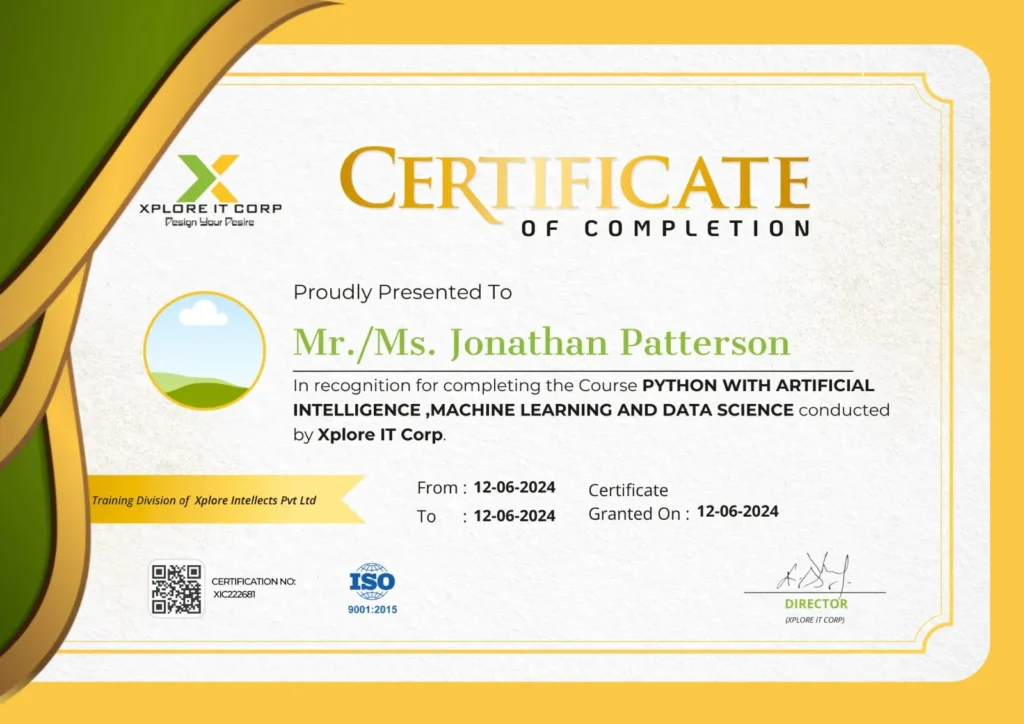
Industry-Validated Certification
Accredited by the Global Data Science Alliance and recognized by top tech employers worldwide.
Digital Verification
Includes a unique blockchain-verified ID that can be added directly to your LinkedIn profile.
Completion Criteria
Awarded upon submission of all 5 capstone milestones and passing the final technical assessment.

Ms. INDHU SREE
Full Stack Python Expert | Software Development Trainer
With a strong background in full stack development and hands-on industry experience, Indhu Sree brings a practical, results-driven approach to Full Stack Python training, simplifying complex development concepts into clear, structured, and job-ready skills.
Focused on transforming Full Stack Python expertise into real-world application development through hands-on projects, backend frameworks, database integration, and modern web development best practices.
13+ Years
Experience in IT Education & Training
750+
Real-Time Projects Completed
100+ Batches
Trained Across India
5,000+
Students Mentored





Course Syllabus
A comprehensive 12-week journey from basics to professional mastery.
Basics
- Variables, Data Types, Operators
- Input/Output
- Typecasting & Expressions
- Comments & Readability
- If/Else
- Loops (for, while)
- Loop controls (break, continue, pass)
- Lists, Tuples, Sets, Dictionaries
- Nested structures
- Comprehensions (list/set/dict)
- Parameters, return values
- Lambda functions
- *args,
**kwargs - Recursion
- Classes, Objects
- Inheritance, Polymorphism
- Encapsulation & Abstraction
- Method overriding
- Constructors (__init__)
- Importing modules
- Creating custom modules
- Python package structure
- Using pip & virtual environments (venv)
- Read/write files (txt, csv, json)
- Append vs Write modes
- Exception Handling (try/except)
- Context managers (with open)
- os
- sys
- datetime
- random
- math
- Basic debugging
- CLI-based Student Management System
Tkinter Essentials
- Windows & Layouts
- Frames, Labels, Buttons
- Entry fields & Text widgets
- Checkboxes, Radio buttons, Dropdowns
- Event handling
- Canvas graphics
- Treeview tables
- File dialogs
- Message boxes
- CRUD App using Tkinter + SQLite3
- Desktop Attendance/Task Manager App
HTMLS
• Structure, Forms
• Semantic Tags
css3
• Flexbox, Grid
Styling & Animations
JavaScript
• DOM basics
• Events
• Fetch API (for Django interactions)
Frontend Ul for Blog/store website
SQLite3
- Lightweight DB concepts
- Creating tables
- CRUD operations
- Linking SQLite3 with Python (sqlite3 module)
- Installing MySQL Server
- SQL Queries: SELECT, UPDATE, DELETE
- Joins, indexing, constraints
- Connecting Django → MySQL
- Model structure
- Migrations
- QuerySets
- Relationships (OneToOne, ForeignKey, ManyToMany)
- Product Inventory DB (SQLite3 + MySQL versions)
Django Basics
- MTV Architecture
- Django Project Structure
- Apps, Views, URLs
- Templates & Static files
- Django Template Language (DTL)
- Database configuration
- Creating models
- Running migrations
- ORM Queries (filter, get, update)
- Function-Based Views
- Class-Based Views
- CRUD operations
- Template inheritance
- Filters, tags
- Form rendering
- ModelForms
- Form validation
- Server-side validation
- Customizing admin panel
- Register models
- Django auth system
- Login/Logout
- User model & permissions
- Password hashing, sessions
- Serializers
- Views & Routers
- DRF authentication
- Consuming APIs with Fetch/Axios
- Middleware
- File Uploads (images, docs)
- Pagination
- Caching
- Signals
- Full Stack Blog / E-commerce Backend
Connecting Layers
- HTML/CSS → Templates
- Login systems
- Cart systems
- Django + MySQL integration
- File uploads + media server
- Connecting JS → Django API
- AJAX
- Fetch API
- JSON-based dynamic pages
- Full Stack E-commerce App
- Git basics (commit, push, pull)
- Branching & merging
- GitHub repo creation
- GitHub Pages basics
- Project versioning
- Deploying Python apps from GitHub
- Upload & maintain full stack project on GitHub
AWS S3
- Host static websites
- Upload static files from Django
- Configuring buckets & permissions
- Host frontend (HTML/CSS/JS)
- Connect GitHub → automatic deployment
- Host static portfolio website
- Custom domains
- Deploy Django backend
- Connect to MySQL (with environment variables)
Shopify is not a free host — it’s an e-commerce builder. Teach:
- How to integrate Django API → Shopify store
- How Shopify consumes external APIs
- Webhooks from Shopify → Django backend
- Not hosting Python apps on Shopify
- Containerizing Django apps
Understanding Dockerfiles & images
Full Stack Django App hosted with:
- Backend → Render/Railway
- Static Files → AWS S3
- Frontend → Netlify
- Code → GitHub
Connecting Layers
Students build a complete, industry-level Python Full Stack Application.
Examples:
- E-commerce + Admin Dashboard
- LMS (Learning Management System)
- Social Media Web App
- Inventory/ERP System
- Blog + Comments + Authentication
- Appointment Booking System