
Advanced Data Analytics Professional Program
Master data-driven analytics strategies using industry-standard tools, real-world datasets, and hands-on capstone projects to deliver actionable insights and<br> business impact.
Professional Certification
Upon successful completion, you will receive an industry-recognized credential.
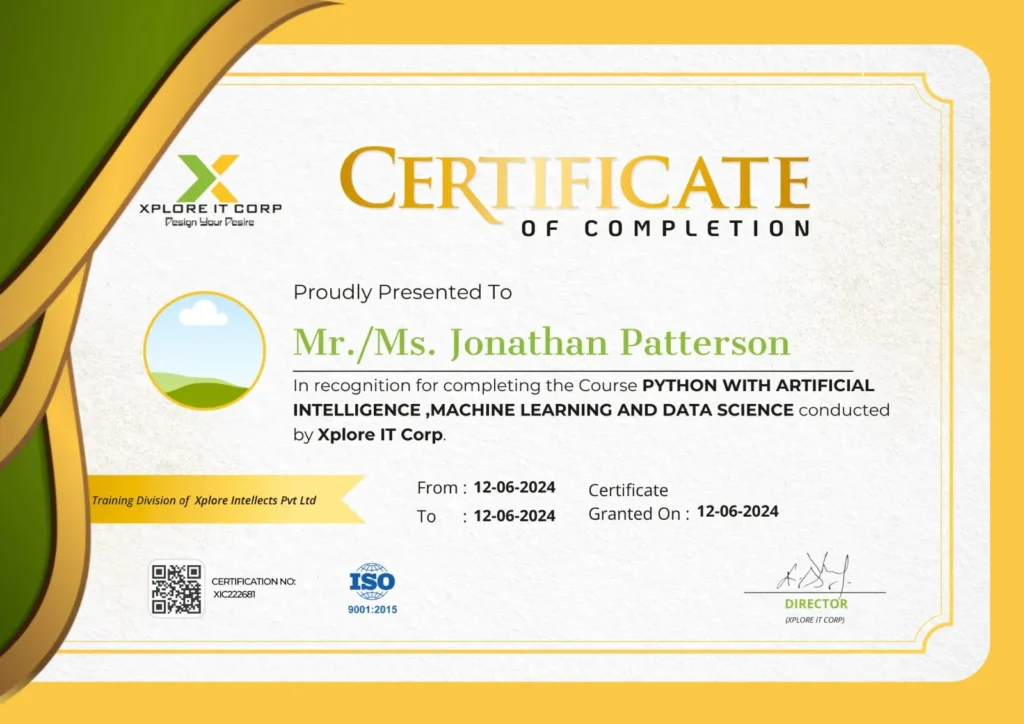
Industry-Validated Certification
Accredited by the Global Data Science Alliance and recognized by top tech employers worldwide.
Digital Verification
Includes a unique blockchain-verified ID that can be added directly to your LinkedIn profile.
Completion Criteria
Awarded upon submission of all 5 capstone milestones and passing the final technical assessment.

Selva Sheeba B
Data Analyst | BI Trainer | SQL & Python Mentor
With a strong background in data analytics and hands-on industry experience, Selva Sheeba brings a practical, results-driven approach to analytics training, simplifying complex data concepts into job-ready skills.
Focused on converting advanced data analytics techniques into career-ready expertise.
2000+
mentored across multiple platforms
10+
Industry-Relevant Projects Delivered
100+
batches trained across India
3+ years
experience in data analytics and teaching









Course Syllabus
A comprehensive 12-week journey from basics to professional mastery.
- What is Data Analytics?
- Importance and real-world applications
- Roles: Data Analyst vs Data Scientist vs BI Developer
- Analytics process: Collection → Cleaning → Analysis → Visualization
→ Reporting
- Descriptive, Diagnostic, Predictive, Prescriptive
- Structured vs Unstructured Data
- Basics of Databases and Tables
Overview of - Data Warehousing & ETL concepts
- Excel, SQL, Python, Power BI overview
- How tools integrate in a typical data workflow
- Excel interface and navigation
- Data types, cell formatting, and shortcuts
- Basic formulas and cell references (Absolute vs Relative)
- Remove duplicates, blanks, and errors
- Text-to-Columns, Flash Fill
- Data Validation and Conditional Formatting
- Handling Missing Data
- Text Functions: LEFT, RIGHT, MID, TRIM, CONCATENATE, TEXTJOIN
- Date & Time Functions: TODAY, NOW, DATEDIF, YEAR, WEEKDAY
- Logical Functions: IF, AND, OR, IFERROR, IFS
- Lookup Functions: VLOOKUP, HLOOKUP, XLOOKUP, INDEX-MATCH
- Statistical & Math Functions: SUMIF(S), COUNTIF(S), AVERAGEIF(S),
ROUND, RANK.
- Sorting and Filtering
- What-If Analysis (Goal Seek, Scenario Manager)
- Named Ranges
- Data Tables
- Creating Pivot Tables
- Grouping, Slicers, and Filters
- Calculated Fields and Items
- Pivot Charts for Visualization
- Building interactive dashboards
- Linking charts and controls
- What is SQL and why it matters in analytics
- Understanding relational databases and ER models
- Tables, Keys, and Relationships
- SELECT, FROM, WHERE,
ORDER BY, DISTINCT - LIMIT / TOP
- Aggregate: COUNT, SUM, AVG, MIN, MAX
- String: UPPER, LOWER, SUBSTRING, TRIM, CONCAT
- Date: GETDATE, YEAR, MONTH, DATEDIFF, DATEADD
- Numeric: ROUND, CEILING, FLOOR
- GROUP BY and HAVING
- Subtotals and Conditional Aggregations
- INNER, LEFT, RIGHT, FULL JOIN
- Self Joins and Cross Joins
- Subqueries in SELECT and WHERE
- Common Table Expressions (CTEs)
- INSERT, UPDATE, DELETE
- Creating and Altering Tables (DDL basics)
- Window Functions
- Case Expressions
- Pivoting and Unpivoting Data
- Writing analytical queries from real datasets
- Building reports and KPIs directly in SQL
- Python installation and IDEs
- Variables, Data Types, Type Casting
- Input, Output, Comments
- Operators and Expressions
- If-Else conditions
- For and While loops
- Nested loops and break/continue
- Lists, Tuples, Sets, Dictionaries
- List and Dictionary Comprehensions
- Defining and calling functions
- Arguments, Return values
- Importing modules and libraries
- Reading and Writing Files (CSV, Excel, JSON)
- Exception Handling
- Arrays vs Lists
- Array operations, slicing, indexing
- Statistical and mathematical functions
- Series and DataFrame objects
- Importing and exporting data
- Data cleaning and transformation (dropna, fillna, duplicates)
- Filtering, sorting, merging, and grouping data
- Aggregations and pivot tables in Pandas
- Line, Bar, Scatter, Pie, Histogram, Box plots
- Customizing plots
- Correlation and Heatmaps
- Understanding data distribution
- Outlier detection
- Handling missing data
- Data summarization and reporting
- Cleaning a dataset, performing EDA, and visualizing insights
- Power BI components
- Installing Power BI Desktop
- Interface and On-Object interaction
- Connecting to Excel, SQL, and Web sources
- Power Query basics
- Data cleaning and shaping: remove columns, replace values, unpivot,
group by - Merge vs Append Queries
- Relationships between tables
- Star schema vs Snowflake schema
- Cardinality and Cross-filter directions
- What is Report View
- Basic Visualization In Power BI
- Formatting of Visuals in Power BI
- Working with Maps in Power BI
- Geo Styling m Formatting of Pages & Reports
- Working with Themes
- Visual-level, Page-level, Report-level filters & Others
- Drillthrough and Hierarchies
- Bookmarks and Selections
- Sync Slicers & Performance Analyzer
- Q&A in Power BI
- Decomposition Tree in PBI
- Smart Narrative in PBI m Increase & Decrease Feature in PBI
- Get Quick Insights in PBI
- First DAX Function in Power BI
- Date Functions
- Text Functions
- Logical Functions
- Calculated Column vs Measures
- Filter Functions: CALCULATE Function
- Time Intelligence Functions
- DATEADD Function
- Quick Measures
- Concatenated List of Values & Star Rating
- Table Functions
- What is Power BI Service
- Creating an Account in PBI Service
- Publishing the Report to PBI Service
- Sharing & Collaboration of Power BI reports
- Exporting the Report
Power BI Service Settings - Automatically Refresh PBI Reports
Dashboard in Power BI - Creating a Dashboard in PBI Service
- Dashboard Options
- End-to-end Dashboard using combined sources
KPI design and storytelling with data